Clipboard manager for Windows 10 and 11
What you copied, a double press of Win away
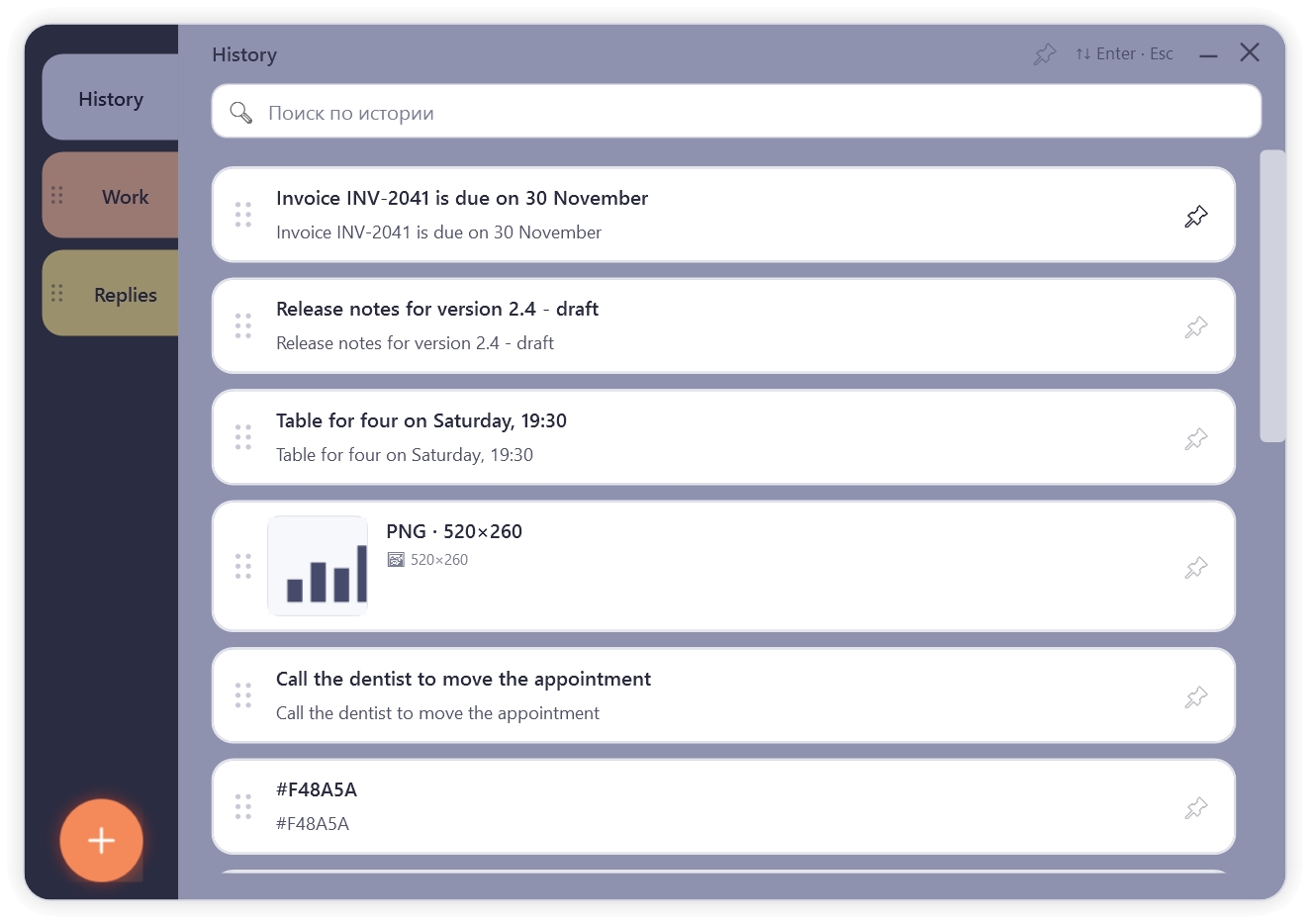
CTRL V V keeps a history of what you copy: text and pictures. Press Win twice, pick a card, and it is pasted into the window you were working in.
The installer is not code-signed yet, so Windows SmartScreen may warn you before it runs: choose “More info”, then “Run anyway”.
- Free version with limits
- Pro from $1.99 a month
- History stays on your computer
For people who copy and paste all day
Replies to customers, addresses, code, numbers for a spreadsheet, a paragraph you will need again in an hour. The Windows clipboard holds one thing at a time, and the built-in Win+V history is short and has no tabs. CTRL V V keeps the rest within reach and lets you sort what matters into tabs of your own.
How it works
-
Copy as usual
Ctrl+C in any program. CTRL V V adds the copy to the history in the background.
-
Press Win twice
The window opens over your work. The trigger key and the speed of the double press can be changed in the settings.
-
Pick a card
Click it, or move with the arrow keys and press Enter. The text goes into the window you came from.
What it does
One small window with a few things done carefully.
History of what you copy
The newest copy is on top. Copy the same thing again, and its card moves back up instead of appearing twice.
Your own tabs
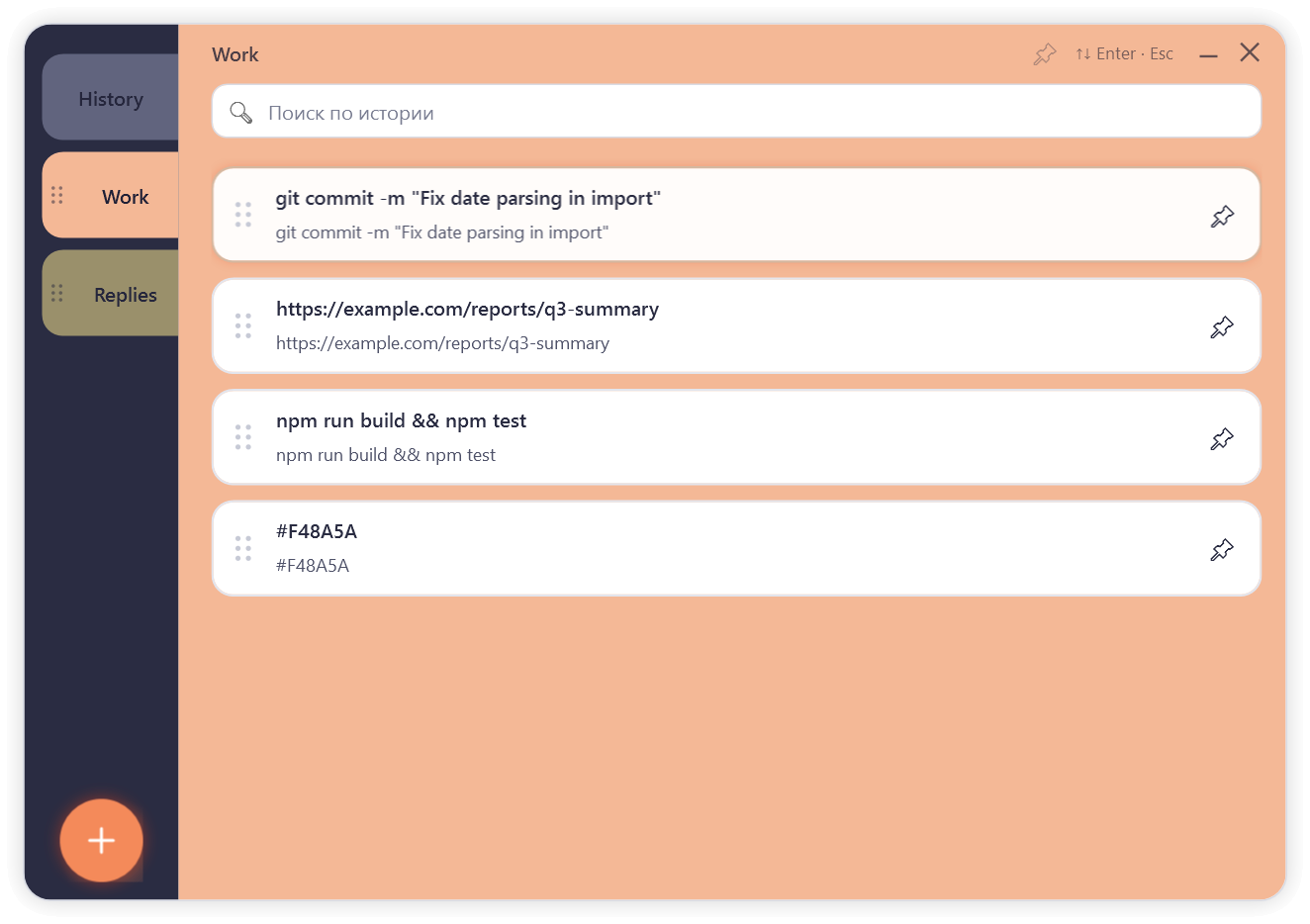
Make tabs for the things you reuse: replies, addresses, snippets of code. Drag a card into a tab to keep it there.
Pinning
Pin the records you need often. Pinned cards are never pushed out by new copies and, unless you switch that off, stay at the top of the history.
Quick paste
A card is pasted straight into the window you came from. Pin the window itself to paste several cards in a row.
Double press of Win
Win twice by default. Ctrl, Shift or Alt can be the trigger instead, and the speed of the double press is adjustable.
Search
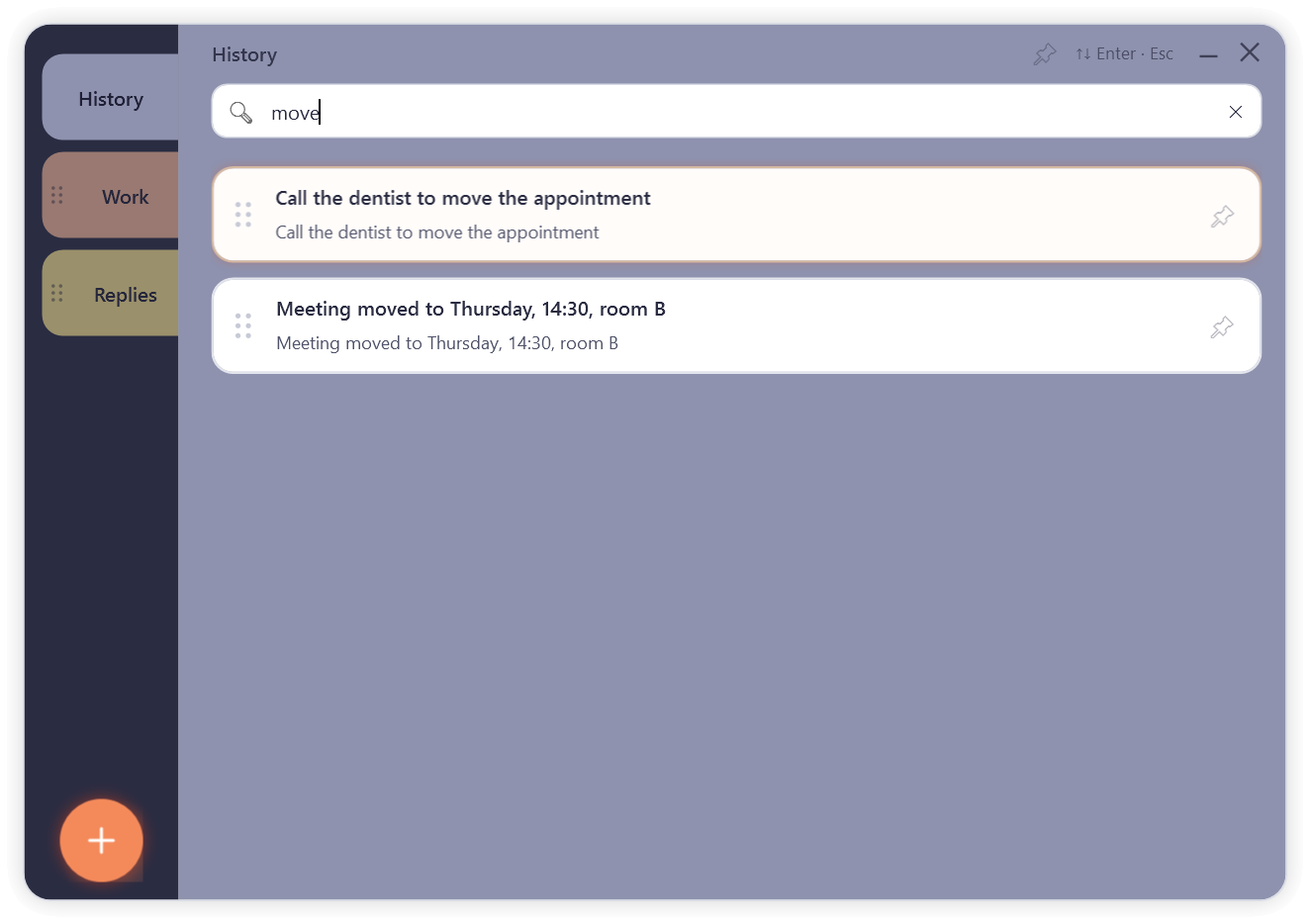
Click the search box and type a word: the history narrows to the records that contain it. Enter pastes the one you picked.
Pictures and editing
Screenshots and copied images are kept next to the text. A card’s text can be edited right in the window, with bold, italic and underline.
Stored on your computer
The history is a folder in your Windows profile. Nothing you copy is ever sent anywhere.
Respects password managers
When a password manager marks a copy as “not for history”, CTRL V V does not save it, just like Windows itself.
Starts with Windows
It waits quietly in the notification area. You can turn this off in the settings or in the tray menu.
No administrator rights
The installer works for your user account only and asks for no administrator password.
Free and Pro
The free version shows what CTRL V V can do, with limits. Pro removes them. It is the same program: a code turns it into Pro, nothing is reinstalled, and nothing you already have is deleted if Pro ends.
| Free | Pro | |
|---|---|---|
| History | The 25 newest records are shown; older ones are kept | The 200 newest records, plus everything pinned |
| Your own tabs | 2 | Unlimited |
| Pinned records in the history | 1 | Unlimited |
| Pictures | Not saved | Saved |
| Reordering cards and tabs | No | Yes |
| Search | Up to 5 times a day | Unlimited |
| Double press, quick paste, editing a card | Yes | Yes |
| Computers | Any number | Up to 3 per licence |
Prices
Three ways to get Pro. Each one gives the same Pro on up to 3 of your computers.
-
Monthly
$1.99 a month
Renews every month until you cancel.
-
Yearly
$9.99 a year
About $0.83 a month. Renews every year until you cancel.
-
Once
$19.99 once, for good
One payment, no renewals.
Download CTRL V V
The installer puts CTRL V V into your user folder and adds shortcuts to the desktop and the Start menu. Once the program has run, it starts with Windows and waits in the notification area. The free version works from the first minute; Pro is unlocked later with a code, without reinstalling.
Uninstalling removes the program and leaves your history folder in place, so you can come back to it.
Windows 10 or 11, 64-bit. Installs for your Windows user, no administrator rights needed.
The installer is not code-signed yet, so Windows SmartScreen may warn you before it runs: choose “More info”, then “Run anyway”.
Questions
How is this different from Win+V in Windows?
Win+V shows a short list in a small menu. CTRL V V opens a full window with your own tabs, pinned records and search, and Pro keeps the 200 most recent records. The window opens with a double press of one key, and a click pastes into the window you were working in.
Does it send what I copy anywhere?
No. The history is stored only on your computer. The single network connection the program ever makes is the Pro licence check, and it carries no clipboard content.
What about passwords?
Many password managers mark the passwords they copy as “not for history”. CTRL V V sees that mark and does not save such copies at all. A password copied without the mark is saved like any other text; delete its card if you do not want it kept.
Where is my history kept?
In %LocalAppData%\ClipboardManager in your Windows profile: a file with the records and a folder with the pictures. You can open it from the settings.
What happens to my history if I uninstall?
It stays. Uninstalling removes only the program; the history folder is left in place. Delete it yourself if you no longer need it.
Can I use one licence on my laptop and my desktop?
Yes, on up to 3 computers. You can free a computer’s place in the program’s settings and use it on another one.
Does Pro need the internet?
Only from time to time. Pro checks the licence when it can and keeps working offline until the end of the paid period. A one-time purchase also needs to connect now and then to renew its licence.
What happens when Pro ends?
The program goes back to the free version. Nothing is deleted: your tabs, pinned cards and history stay, only adding more is limited.
Why does Windows warn me about the installer?
Because the installer is not code-signed yet. Windows SmartScreen warns about unsigned programs it has not seen often. Choose “More info”, then “Run anyway”.
Is there a version for Mac, Linux or phones?
No. CTRL V V is made for Windows 10 and 11 only.
Privacy, in plain words
- What you copy stays on your computer. It is never sent to us or to anyone else.
- There is no telemetry, no usage statistics and no automatic updates.
- The only connection the program makes is the Pro licence check. It sends the licence code, hashes of four computer identifiers, the computer’s name and the program version. The free version sends nothing.
- This website sets no cookies and loads nothing from other sites.